
Wireframing is one of the most valuable steps in the web design process. Before a single line of code is written or a visual identity is applied, wireframes let designers establish structure, test user flows, and surface problems cheaply — when they’re still easy to fix.
The wireframing tool landscape has shifted considerably since 2023. Adobe XD is no longer actively developed. InVision shut down its core product. Figma has consolidated its position as the industry standard. And AI features have become a meaningful differentiator between tools. This guide reflects the current state of the market in 2026.
The Best Wireframing Tools for UI/UX Designers
Why Wireframing Matters in UI/UX Design
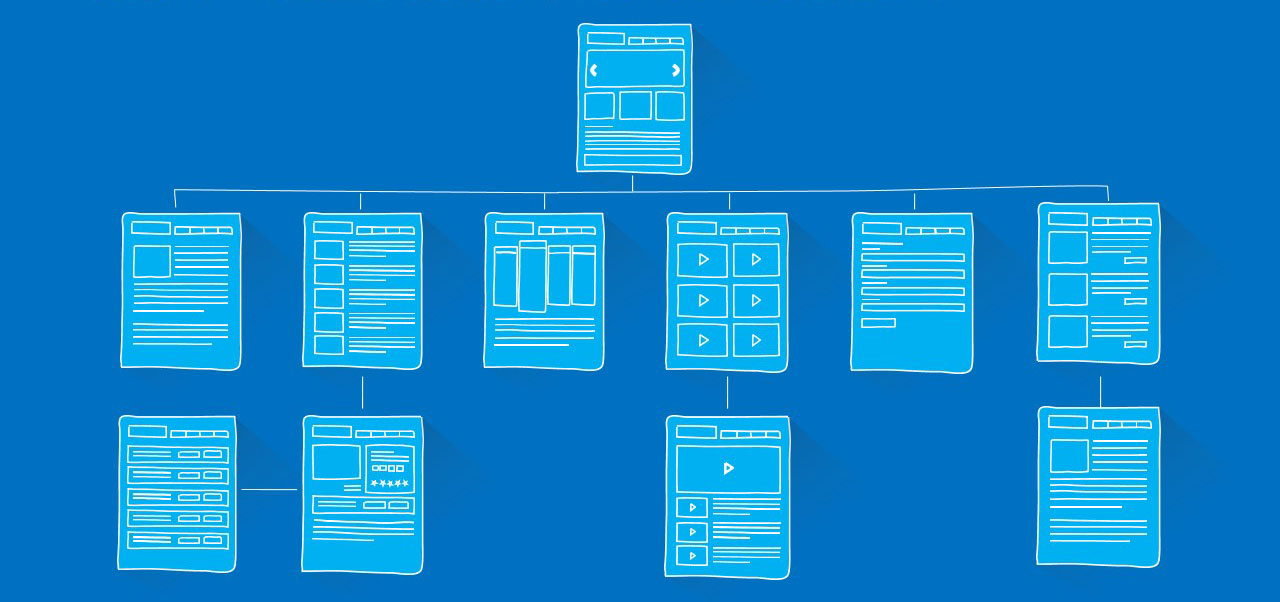
Wireframes act as blueprints — they define layout, hierarchy, and user flow before visual design and development begin. A good wireframe lets you:
- Visualise the overall structure and element hierarchy of a page or screen
- Plan navigation and user flow before committing to a visual direction
- Identify usability problems early, when changes are fast and cheap
- Iterate on design concepts rapidly without getting distracted by colour and typography
- Communicate design intent clearly to clients, developers, and stakeholders

The Importance of Wireframing in UI/UX Design
What to Look for in a Wireframing Tool
The right tool depends on your workflow, team size, and project type. Key factors to consider:
- Features and fidelity range — can the tool handle both quick low-fidelity sketches and detailed interactive prototypes, or does it specialise in one?
- Ease of use — how steep is the learning curve? A tool you’ll use daily needs to be fast and intuitive.
- Collaboration — can multiple people work on the same file simultaneously? Can clients leave comments without needing an account?
- Platform compatibility — browser-based tools work everywhere; desktop apps may be limited to one OS (Sketch is Mac-only).
- Integration with your wider workflow — does it connect with your project management, handoff, or developer tools?
- Pricing — free plans vary significantly in what they include. Consider what you’ll actually need as your work scales.
The Best Wireframing Tools in 2026
1. Figma

The Best Wireframing Tools: Figma
Figma is the industry standard for UI/UX design in 2026 — and by some margin. What began as a collaborative design tool has evolved into a comprehensive platform covering wireframing, high-fidelity design, interactive prototyping, design system management, and developer handoff, all within a single browser-based environment.
Key features in 2026:
- Real-time multiplayer collaboration — multiple designers (and clients) can work on the same file simultaneously
- Auto-layout for creating responsive, adaptive components that scale correctly across breakpoints
- Variables and design tokens for managing consistent spacing, colour, and typography at scale
- Dev Mode — a dedicated view for developers with CSS, iOS, and Android code snippets auto-generated from designs
- AI features including design generation assistance, auto-naming layers, and visual search within component libraries
- FigJam — integrated whiteboarding and diagramming tool for early-stage ideation
- Extensive plugin ecosystem and third-party integrations
| Pros | Cons |
|---|---|
| – Browser-based, works on any OS – Industry-standard tool (clients and developers expect it) – Unmatched real-time collaboration – Free plan genuinely useful for solo designers – Covers the entire design workflow in one tool – Active AI feature development |
– Can feel heavy for simple quick wireframes – Offline access is limited – Advanced features require a paid plan – Font rendering differs slightly from browser output |
Best for: Professional UI/UX designers, design teams, freelancers handling client projects end-to-end.
2. Balsamiq Wireframes
The Best Wireframing Tools: Balsamiq Wireframes
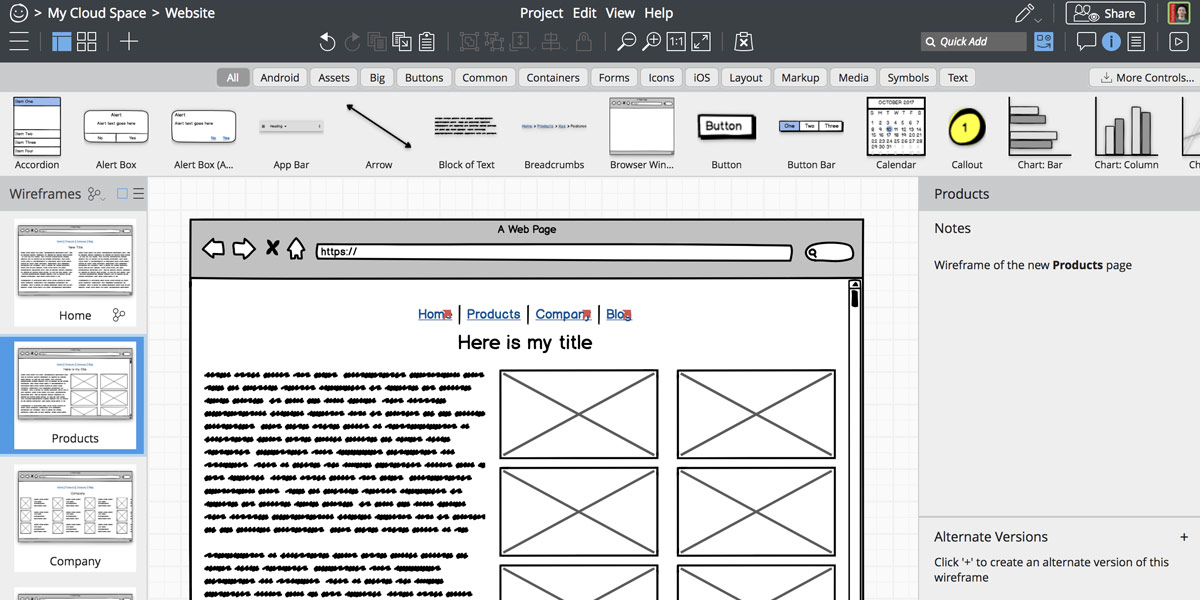
Balsamiq occupies a distinct niche: deliberately low-fidelity wireframing that mimics hand-drawn sketches. The intentional roughness keeps conversations focused on structure and flow rather than visual polish — which is exactly what early-stage wireframing should do.
Key features:
- Sketch-style UI that signals “work in progress” to stakeholders, preventing premature feedback on aesthetics
- Large library of pre-built low-fidelity UI components
- Fast drag-and-drop interface — minimal learning curve
- Collaboration and commenting features
- Available as a web app, desktop app, or integrated within Confluence and Jira
| Pros | Cons |
|---|---|
| – Fastest tool for low-fidelity wireframing – Deliberately rough style keeps client feedback on track – Simple and easy to learn – Confluence and Jira integration – One-time purchase option available |
– Not suitable for high-fidelity work – Limited prototyping capabilities – No real-time co-editing in the desktop version – Visual style won’t appeal to everyone |
Best for: Early-stage ideation, client workshops, product managers, and anyone who wants to wireframe quickly without Figma’s overhead.
3. UXPin

The Best Wireframing Tools: UXPin
UXPin differentiates itself with code-based prototyping — its interactive prototypes behave more like real products than simulated animations. This makes it particularly strong for complex interactions and for bridging the gap between designers and developers. Its high-fidelity prototyping capabilities are among the best available.
Key features:
- Code-based interactions that mirror real product behaviour more accurately than animation-based prototyping
- Merge feature — import React components directly into UXPin, so designers work with the same components as developers
- Pre-built UI libraries for Material Design, Ant Design, iOS, Android, and Bootstrap
- AI-powered design assistant for generating layouts and components from text prompts
- Collaboration, commenting, and approval workflows
| Pros | Cons |
|---|---|
| – Most realistic prototyping of any tool on this list – React component import via Merge – Strong component libraries – AI layout generation – Good for design system management |
– Steeper learning curve than Figma or Balsamiq – Higher price point – Smaller community and plugin ecosystem than Figma – Overkill for simple wireframing tasks |
Best for: Product designers working on complex applications, teams that need high-fidelity prototypes that closely mirror the final product.
4. Sketch

The Best Wireframing Tools: Sketch
Sketch was the dominant professional design tool before Figma’s rise, and it remains a capable option — particularly for Mac-based designers who prefer a native desktop experience. Sketch has added web collaboration features in recent years, though it still trails Figma in real-time collaboration. Its Mac-native performance and vector editing tools remain strengths.
Key features:
- Mac-native app with fast, smooth performance
- Strong vector editing tools
- Large library of plugins and integrations
- Shared Libraries for design consistency across projects
- Web viewer for sharing designs with clients and stakeholders
- Sketch for Teams with cloud collaboration features
| Pros | Cons |
|---|---|
| – Excellent Mac-native performance – Strong vector editing – Large plugin ecosystem – Familiar to many experienced designers |
– Mac only — excludes Windows and Linux users – Collaboration less seamless than Figma – Lost significant market share to Figma – Smaller community than in its peak years |
Best for: Mac-based designers already embedded in the Sketch ecosystem, or those who prefer a desktop-native design tool.
5. Wireframe.cc
The Best Wireframing Tools: Wireframe.cc
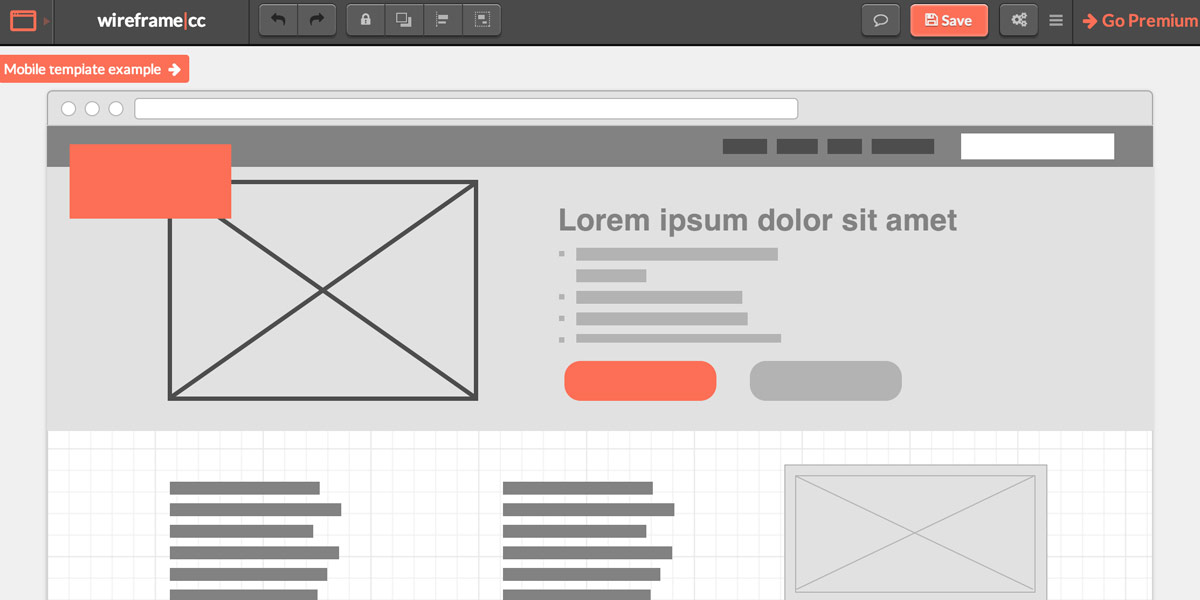
Wireframe.cc is a deliberately minimal browser-based tool. There’s almost nothing to configure — you open it and start drawing. For quick throwaway wireframes or rapid ideation where you don’t need a full design environment, it’s hard to beat for speed.
| Pros | Cons |
|---|---|
| – Extremely fast to start – Zero learning curve – Browser-based – Shareable links for quick feedback |
– Very limited features and component library – Not suitable for anything beyond basic wireframes – Limited collaboration – No prototyping |
Best for: Rapid throwaway wireframes, non-designers who need to sketch a quick layout concept, early-stage ideation before moving to a full tool.
6. Axure RP
Other Notable Wireframing Tools
Axure RP is the most technically powerful prototyping and wireframing tool available — favoured by enterprise UX teams and researchers who need conditional logic, dynamic content, and complex interactive states that go beyond what Figma or UXPin support. It has a significant learning curve and isn’t suited to quick wireframing, but for complex functional prototypes it remains unmatched.
| Pros | Cons |
|---|---|
| – Most powerful prototyping logic available – Conditional interactions, dynamic panels, variables – Suitable for highly complex UX flows – Strong user testing support |
– Steep learning curve – Expensive – Overkill for most wireframing needs – Desktop app (Windows and Mac) |
Best for: Enterprise UX teams, UX researchers building functional prototypes for user testing, complex application design.
A Note on Adobe XD and InVision
Two tools that appeared prominently in wireframing lists until recently deserve a specific mention:
Adobe XD — Adobe announced in 2023 that it was discontinuing active development of XD and directing users toward Figma (following the attempted acquisition). XD still exists and can still be used, but it receives no meaningful updates and is not recommended for new projects or teams. If you’re currently using XD, migrating to Figma is the practical path forward.
InVision — InVision shut down its core cloud product in early 2024. The company had been in decline for several years as Figma took over its collaboration and prototyping use cases. If you have projects or assets in InVision, they will need to be migrated.
Free Wireframing Tools Worth Knowing
Several capable tools offer genuinely useful free plans:
- Figma — free plan includes up to 3 projects and unlimited personal files. Sufficient for freelancers and solo designers starting out.
- Draw.io (diagrams.net) — free and open-source. Primarily a diagramming tool, but works well for simple wireframes and flow diagrams. Integrates with Google Drive and Confluence.
- Moqups — browser-based tool with a free plan. Covers wireframing, diagramming, and basic prototyping in a clean interface.
- Marvel — free plan available. Simple prototyping and wireframing, with a focus on ease of use.
How to Evaluate and Choose a Wireframing Tool
How to Choose the Right Wireframing Tool
If you’re deciding for the first time or re-evaluating your current tool, here’s a practical framework:
- Start with Figma unless you have a specific reason not to. It’s what clients, developers, and most design teams use. The collaboration and handoff features alone justify it for any professional work.
- Add Balsamiq for early-stage work if you find Figma too polished for rough ideation. The low-fidelity aesthetic helps keep early client conversations focused on structure.
- Consider UXPin or Axure only if your projects require complex interactive prototypes with conditional logic — most web design projects don’t.
- Avoid Adobe XD for any new project — it’s effectively a dead product.
- Use free trials before committing to a paid plan. Most tools offer 14–30 day trials with full feature access.
Conclusion
The best wireframing tool for most designers in 2026 is Figma — it covers wireframing, prototyping, design systems, and developer handoff in a single collaborative environment, and it’s become the shared language of the design industry. For fast low-fidelity work, Balsamiq remains excellent. For complex enterprise prototyping, UXPin and Axure RP have distinct strengths.
The important thing is that wireframing happens at all. Jumping straight from a brief into visual design — or worse, into development — without establishing structure first is one of the most common and most costly mistakes in web projects.
For more on how wireframing fits into a professional design process, read our guides on low-fidelity wireframes and high-fidelity wireframes, or explore our web design services to see how we approach the design process with clients.
FAQs
What is a wireframe and why do I need one?
A wireframe is a schematic layout of a web page or application screen that shows structure, hierarchy, and functionality — without colour, typography, or visual design. It’s used to plan user flows and interface structure before the design and development phases begin. Wireframes catch layout and usability problems early, when fixing them is fast and cheap, and help align clients and developers on what’s being built.
What is the best wireframing tool for beginners in 2026?
Figma is the best starting point for most beginners — its free plan is genuinely useful, it’s the industry standard tool, and the learning resources available (tutorials, YouTube, community templates) are extensive. For complete beginners who find Figma overwhelming, Balsamiq or Wireframe.cc offer a lower entry point with minimal setup required.
Is Adobe XD still worth using in 2026?
No. Adobe discontinued active development of XD in 2023 following its attempted acquisition of Figma. The product still technically exists but receives no meaningful updates. New projects should be started in Figma, and existing XD users should migrate. Adobe’s own recommendation is to use Figma.
What happened to InVision?
InVision shut down its core cloud product in early 2024. The company had been losing ground to Figma for several years. If you have assets in InVision, they need to be exported and migrated to another tool — Figma is the natural destination for most InVision users.
What are the different types of wireframes?
There are three common fidelity levels. Low-fidelity wireframes are rough, quick sketches — ideal for early ideation and keeping client feedback focused on structure. Medium-fidelity wireframes add more detail and defined layout without visual polish. High-fidelity wireframes closely resemble the final design and are used for stakeholder approval, developer handoff, and user testing.
Does Figma have a free plan?
Yes. Figma’s free Starter plan includes unlimited personal drafts, 3 design files, and access to most core features. It’s sufficient for solo designers and small freelance projects. The paid Professional plan adds unlimited files, version history, advanced prototyping, and team features.
What wireframing tools work on Windows?
Figma, UXPin, Balsamiq, Wireframe.cc, Axure RP, Moqups, and Draw.io all work on Windows. Sketch is Mac-only. Browser-based tools (Figma, Moqups, Wireframe.cc, Draw.io) are platform-agnostic by nature.
Can I wireframe directly in the browser without installing software?
Yes — Figma, Wireframe.cc, Moqups, and Draw.io all run entirely in the browser with no installation required. Figma also has desktop apps for Mac and Windows if you prefer a native experience.

With over two decades of web design and development expertise, I craft bespoke WordPress solutions at FallingBrick, delivering visually striking, high-performing websites optimised for user experience and SEO.