
What to Look for in a WordPress Booking Plugin
Before diving into the list, it’s worth knowing what separates a solid booking plugin from one that will frustrate you six months down the line. These are the core features to prioritise:
Need help choosing and setting up a booking plugin?
No obligation. Just clear, straightforward advice.
Customisable Calendar
A good booking plugin must give you full control over your availability — working hours, blocked dates, and buffer times between appointments. Without this flexibility, scheduling conflicts become a recurring headache.
Mobile-Friendly Interface
Most customers book from their phones. Any plugin you choose needs to offer a responsive design that works just as well on a 375px screen as on a desktop. A clunky mobile booking flow will cost you conversions.
Automated Communication
The best booking plugins send automated confirmation emails, reminders, and follow-ups to both you and your customers. This alone can significantly reduce no-shows without any manual effort on your part.
Payment Integration
Being able to take deposits or full payment at the point of booking reduces cancellations and makes your workflow cleaner. Look for support for Stripe, PayPal, and ideally WooCommerce.
Calendar Sync
Two-way sync with Google Calendar or Outlook means your bookings stay in one place, regardless of which device or app you’re working from.

What to Look for in a WordPress Booking Plugin
Top WordPress Booking Plugins in 2026
Here’s an overview of the top 13 plugins based on active installs, user ratings, and real-world performance:
- Bookly – Downloads: 3.5M+ – Rating: 4.4 / 5
- Amelia – Downloads: 90,000+ customers – Rating: 4.6 / 5
- Booknetic – Downloads: 20,000+ customers – Rating: 4.91 / 5
- Simply Schedule Appointments – Downloads: 30,000+ – Rating: 4.9 / 5
- LatePoint – Downloads: 30,000+ – Rating: 4.8 / 5
- WooCommerce Bookings – Downloads: 10,000+ – Rating: 4.5 / 5
- WPForms – Downloads: 6M+ – Rating: 4.9 / 5
- Booking Calendar – Downloads: 80,000+ – Rating: 4.5 / 5
- FluentBooking – Downloads: 20,000+ – Rating: 4.6 / 5
- Appointment Hour Booking – Downloads: 10,000+ – Rating: 4.8 / 5
- Hotel Booking Plugin by MotoPress – Downloads: 10,000+ – Rating: 4.6 / 5
- MotoPress Appointment Booking – Downloads: 2,000+ – Rating: 4.5 / 5
- GemBooking – Downloads: Available on WordPress.org – Rating: 5 / 5

Top WordPress Booking Plugins
In-Depth Look at the Best WordPress Booking Plugins
1. Bookly

The Best WordPress Booking Plugins: Bookly
Bookly is one of the most established names in WordPress booking, with over 3.5 million downloads and a proven track record across service businesses worldwide. The free version covers the basics well, while Bookly Pro (from $49/year) unlocks staff management, payment gateways, SMS notifications, and a range of add-ons. It’s modular by design — you expand it as your business grows. The trade-off is that costs can add up if you need multiple premium add-ons.
| Pros | Cons |
|---|---|
|
|
2. Amelia

The Best WordPress Booking Plugins: Amelia
Amelia has grown into one of the most complete booking solutions on WordPress, with over 90,000 customers and strong ratings across the board. It handles multiple staff members, multiple locations, group bookings, and Google Calendar sync out of the box. Its WooCommerce integration makes it well-suited to e-commerce businesses that also offer bookable services. The interface is modern and easy to navigate for both admins and customers. The free version is functional but limited — most businesses will want the pro plan.
| Pros | Cons |
|---|---|
|
|
3. Booknetic
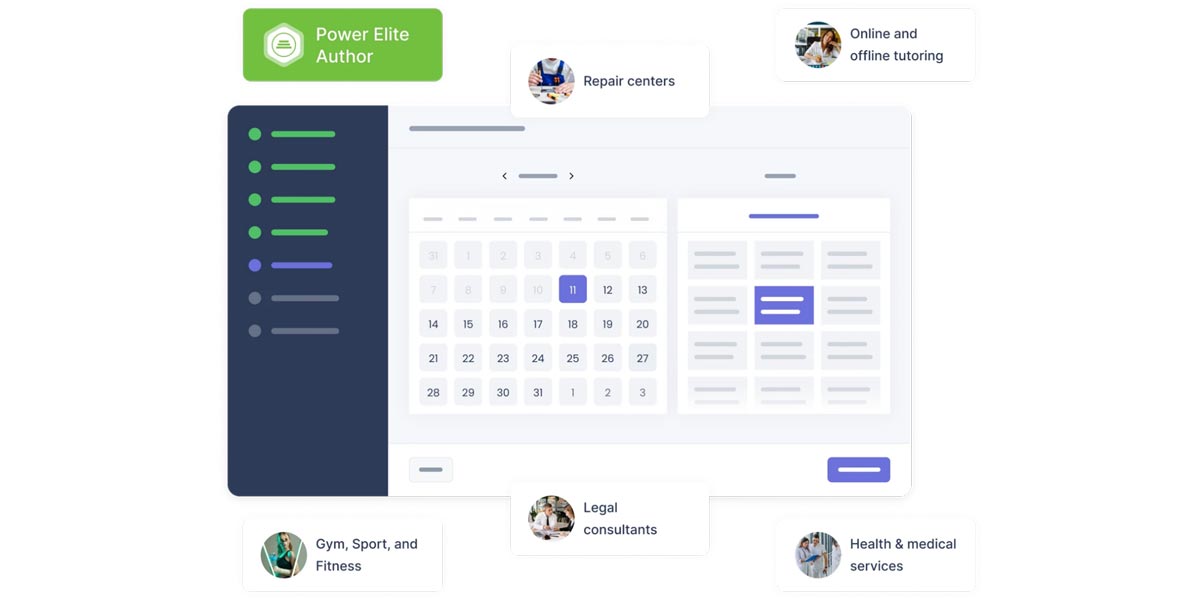
The Best WordPress Booking Plugins: Booknetic
Booknetic is a dedicated WordPress appointment booking plugin for service businesses that need more than a simple calendar form. It is built for salons, clinics, consultants, coaches, repair services, fitness studios, and multi-location teams that want to manage staff, services, locations, payments, notifications, and customer appointments from one WordPress dashboard. Booknetic has been in the market for 7+ years, has 20,000+ paid customers, 50+ integrations and add-ons, and a 4.91/5 customer rating. It supports a customizable booking widget, staff and location management, online payments, workflow automation, reminders, custom forms, customer panel, coupons, recurring appointments, group appointments, and calendar-related integrations.
A free version is also available directly from the official Booknetic website, while paid plans start from $45/year. For businesses that want a polished booking flow with automation and room to grow, Booknetic is one of the strongest dedicated booking plugins to consider in 2026.
| Pros | Cons |
|---|---|
|
|
4. Simply Schedule Appointments

The Best WordPress Booking Plugins: Simply Schedule Appointments
Simply Schedule Appointments consistently earns top marks — currently sitting at 4.9 out of 5 on WordPress.org — and it’s easy to see why. The plugin lives up to its name: the setup is fast, the interface is clear, and it doesn’t overwhelm you with configuration screens. It offers two-way Google Calendar sync, custom booking forms, timezone detection, and integration with tools like MailChimp and ConvertKit. Ideal for consultants, coaches, and smaller service businesses that want something that just works.
| Pros | Cons |
|---|---|
|
|
5. LatePoint
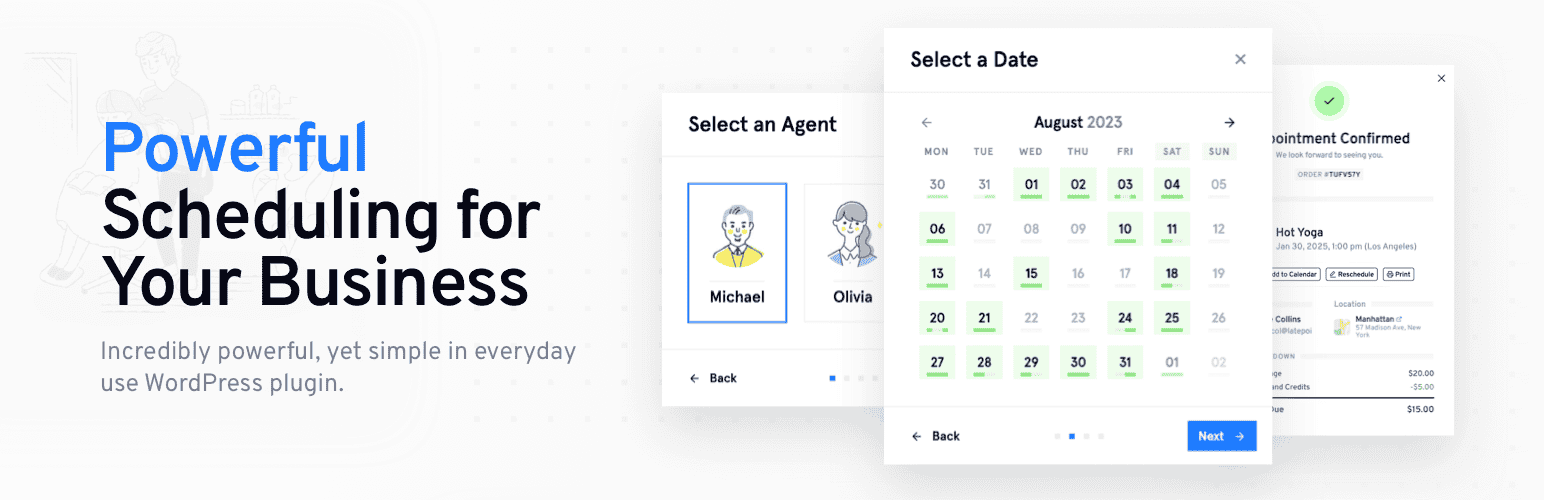
The Best WordPress Booking Plugins: LatePoint
LatePoint is one of the best-looking booking plugins available for WordPress, built with a high-converting booking flow and a genuinely app-like experience. It supports multiple agents and locations, calendar sync, automated reminders, and group session booking. With 30,000+ active installs and a strong 4.8-star rating, it’s built a solid following among service businesses looking for something more polished than the competition. A free version is available on WordPress.org with multi-staff support, Stripe and PayPal integration, and core booking features. Paid plans start from $79/year (Starter) or $199-249 for a lifetime licence.
| Pros | Cons |
|---|---|
|
|
6. WooCommerce Bookings
The Best WordPress Booking Plugins: WooCommerce Bookings
WooCommerce Bookings is the logical choice for any business already running WooCommerce. It allows you to sell bookable products and services directly through your store — whether that’s rental items, appointment slots, or class bookings. Pricing rules, availability windows, and confirmation flows are all managed within the familiar WooCommerce interface. It’s not the most flexible standalone solution, but if WooCommerce is already at the heart of your site, this is a natural fit.
| Pros | Cons |
|---|---|
|
|
7. WPForms
The Best WordPress Booking Plugins: WPForms
WPForms is primarily a form builder — and one of the best available — but its appointment booking addon and deep integration with payment gateways make it a viable choice for businesses with simpler scheduling needs. With over 6 million active installs and a near-perfect 4.9-star rating, it’s one of the most widely trusted plugins in the WordPress ecosystem. If your booking needs are straightforward and you already use WPForms for other forms on your site, this is worth considering before paying for a dedicated booking plugin.
| Pros | Cons |
|---|---|
|
|
8. Booking Calendar
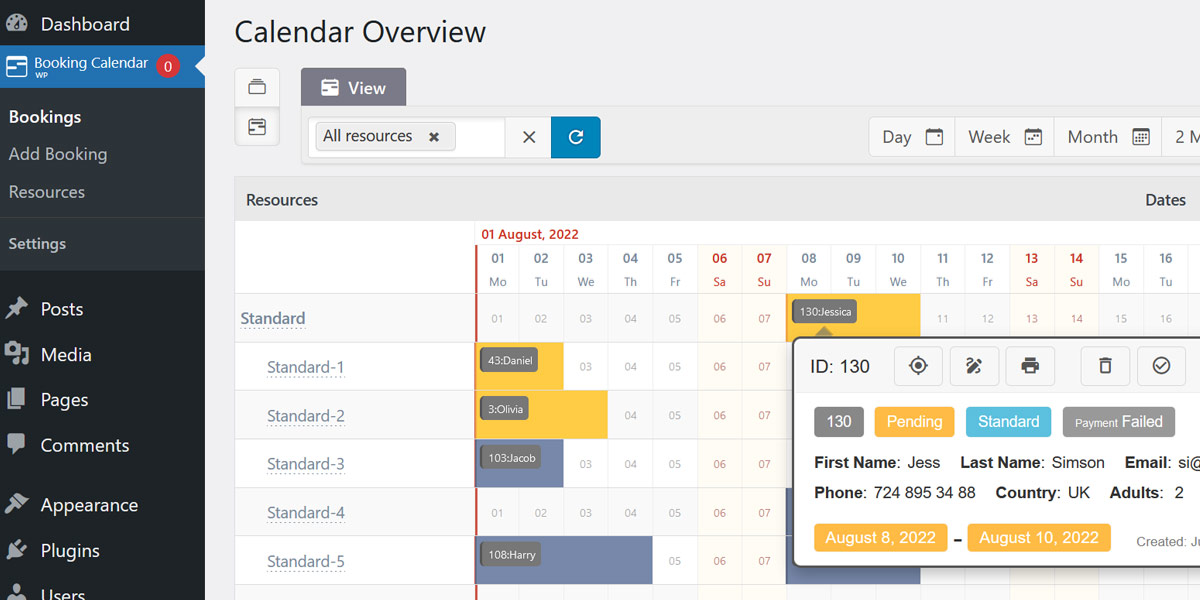
The Best WordPress Booking Plugins: Booking Calendar
Booking Calendar is one of the oldest booking plugins in the WordPress repository, with over 80,000 active installs and a consistent track record. It’s a strong choice for property rentals, holiday bookings, or any use case where a multi-day calendar view makes more sense than a time-slot picker. The free version is genuinely useful, and the paid tiers add Google Calendar sync, automated notifications, and more advanced booking rules.
| Pros | Cons |
|---|---|
|
|
9. FluentBooking

The Best WordPress Booking Plugins: FluentBooking
FluentBooking is the newer entry on this list, but one of the fastest-growing. Built by WPManageNinja — the same team behind FluentCRM and Fluent Forms — it takes a Calendly-style approach and brings it natively into WordPress. It supports unlimited calendars, two-way Google Calendar and Outlook sync, round-robin scheduling for teams, Zoom and Google Meet integration, and Stripe payments. A free version is available on WordPress.org with core booking functionality. If you’re already using other Fluent products, the integration is seamless. Lifetime licensing is also available, which makes it an attractive long-term investment.
| Pros | Cons |
|---|---|
|
|
10. Appointment Hour Booking

The Best WordPress Booking Plugins: Appointment Hour Booking
Appointment Hour Booking is a lightweight, no-frills plugin that handles the essentials reliably and without cost. It’s well-suited to sole traders, therapists, tutors, or any small business that needs a simple time-slot booking system without complex staff management or multiple payment gateways. The plugin has a 4.8-star rating and a loyal user base. For basic needs, it remains one of the best free options available.
| Pros | Cons |
|---|---|
|
|
11. Hotel Booking Plugin by MotoPress

The Best WordPress Booking Plugins: Hotel Booking Plugin by MotoPress
The Hotel Booking Plugin by MotoPress is purpose-built for the hospitality industry. It handles room and property management, availability calendars, seasonal pricing, online payments, and guest communications — all within WordPress. It’s also flexible enough to be adapted for holiday cottages, serviced apartments, or any accommodation-style rental business. The free version covers the basics; the pro tier (from $139/year) adds channel manager integrations, coupon codes, and more advanced booking rules.
| Pros | Cons |
|---|---|
|
|
12. MotoPress Appointment Booking
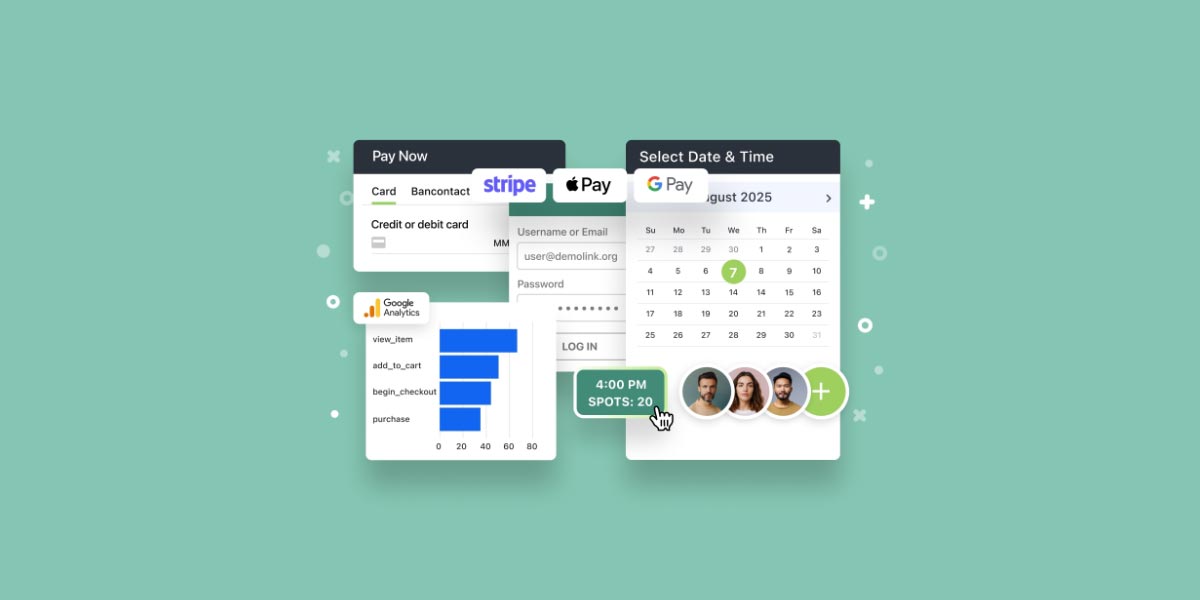
The Best WordPress Booking Plugins: MotoPress Appointment Booking
Appointment Booking WordPress plugin by MotoPress is a flexible WordPress booking plugin built for businesses that rely on scheduled appointments. It works well for salons, wellness centres, medical practices, consultants, coaches, fitness studios, and other service-based businesses that need more than a basic booking form. The plugin combines online scheduling, payment processing, staff management, and analytics in one interface.
| Pros | Cons |
|---|---|
|
|
13. GemBooking
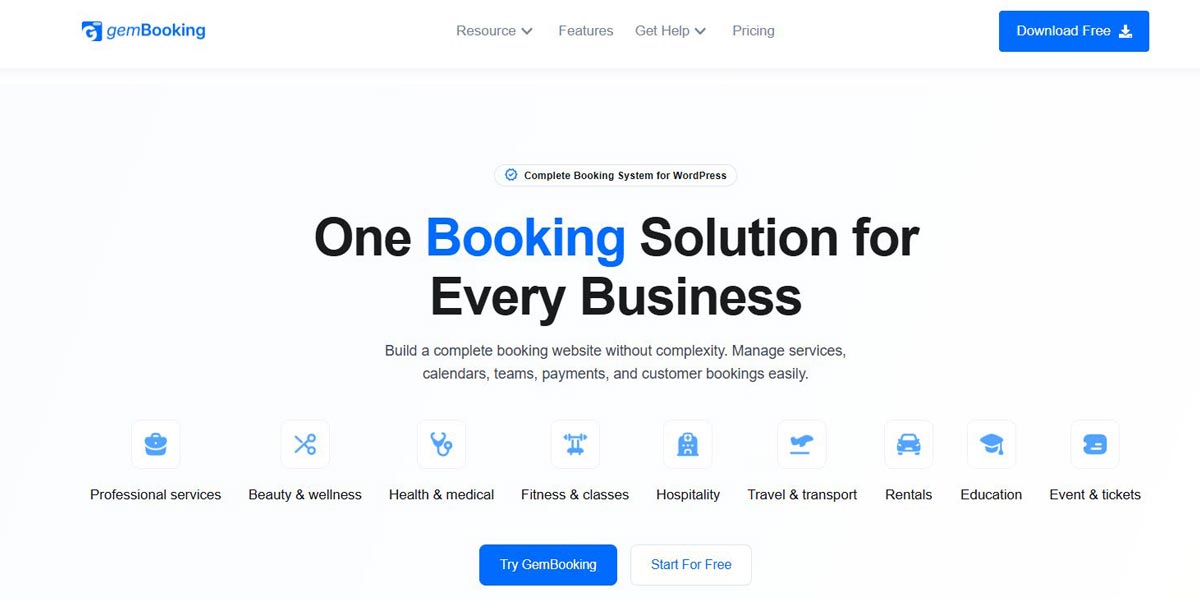
The Best WordPress Booking Plugins: GemBooking
GemBooking is a complete WordPress booking system built for businesses that need more than a basic calendar link. It handles appointments, rentals, events, classes, group bookings, staff scheduling, and online payments from a single dashboard — without relying on multiple separate plugins. Built by Kodezen LLC (the same team behind Academy LMS and StoreEngine), GemBooking is designed for a wide range of industries including professional services, beauty and wellness, health and medical, fitness, hospitality, travel, rentals, education, and events. What makes it stand out on this list is its combination of flexible booking types and smart staff management in one lightweight plugin — a setup that would typically require two or three separate tools.
| Pros | Cons |
|---|---|
|
|
Comparison of the Best WordPress Booking Plugins
To help you make a faster decision, here’s a side-by-side comparison of all thirteen plugins:
| Plugin Name | Best For | Ease of Use | Starting Price | Free Version |
|---|---|---|---|---|
| Bookly | Service businesses, salons, clinics | Easy | $49/year (Pro) | Yes |
| Amelia | Multi-staff service businesses | Moderate | From $49/year | Yes (limited) |
| Booknetic | Service businesses, salons, clinics, consultants, multi-location teams | Easy | From $45/year | Yes |
| Simply Schedule Appointments | Consultants, coaches, small teams | Easy | From $99/year | Yes |
| LatePoint | Businesses wanting a premium UX | Easy | From $79/year (Starter) | Yes |
| WooCommerce Bookings | Existing WooCommerce stores | Moderate | From $249/year | No |
| WPForms | Simple booking forms | Easy | From $49/year | Yes |
| Booking Calendar | Property and equipment rentals | Easy | From $47 (one-off) | Yes |
| FluentBooking | Teams using Fluent ecosystem | Easy | From $79/year | Yes |
| Appointment Hour Booking | Sole traders with simple needs | Easy | Free | Yes |
| Hotel Booking by MotoPress | Hospitality and accommodation | Moderate | From $139/year | Yes (limited) |
| MotoPress Appointment Booking | Service businesses, classes, multi-staff | Moderate | From $49/year | Yes (limited) |
| GemBooking | Businesses wanting appointments, rentals, events and staff scheduling in one plugin | Easy | Free (Pro from $79, lifetime) | Yes |
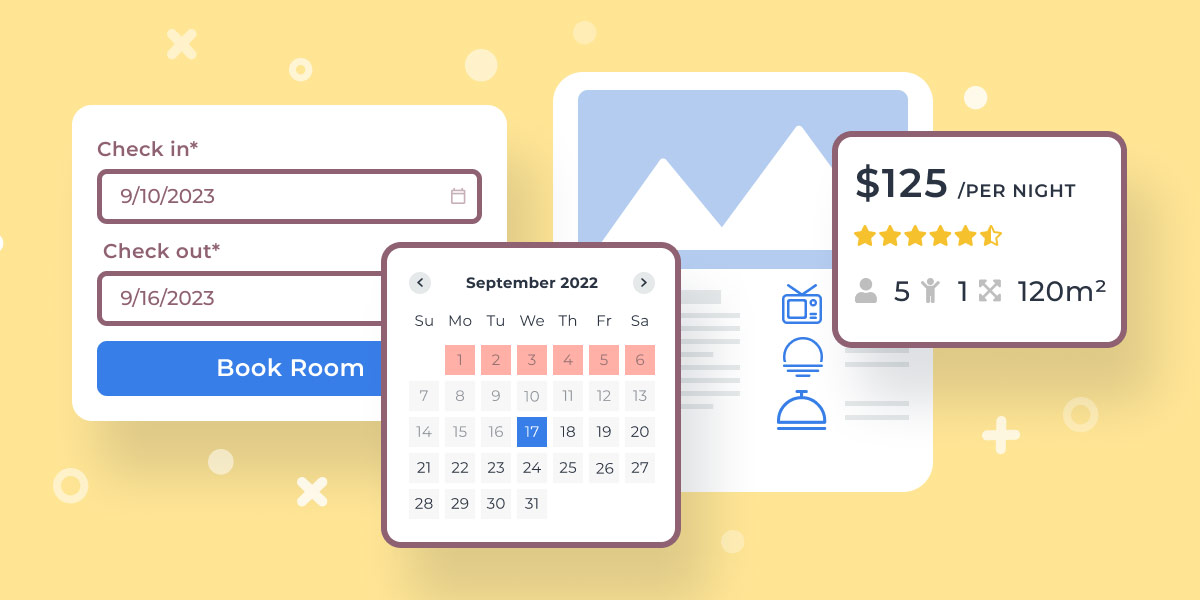
The Best WordPress Booking Plugins: Comparison
Which WordPress Booking Plugin Should You Choose?
The right choice comes down to your specific business type and budget:
If you run a salon, clinic, or multi-staff service business, start with Bookly or Amelia — both are battle-tested, well-supported, and scale well.
If you want the simplest possible setup, Simply Schedule Appointments earns its top rating for a reason. Coaches, consultants, and therapists will find it covers everything they need without unnecessary complexity.
If you care about front-end design and user experience, LatePoint produces the most polished booking flow of the group.
If you’re on a tight budget, LatePoint (free version with multi-staff and payments) or Appointment Hour Booking give you functional, reliable free options that won’t let you down.
If you run accommodation or property rentals, Booking Calendar or the MotoPress Hotel Booking Plugin are purpose-built for multi-day scenarios.
If you’re already using WooCommerce, the WooCommerce Bookings extension is the path of least resistance.
If you’re already in the Fluent ecosystem, FluentBooking integrates seamlessly with FluentCRM and Fluent Forms, with a free version to get started.
If you want one completely free plugin for appointments, rentals and events, GemBooking is worth a look. It’s newer than the other names here, but the free version already covers a lot of ground without a bookings cap or locked-out screens.
We recommend taking advantage of free versions and trials before committing. A booking plugin is a core part of your customer experience — it’s worth spending an hour testing it before going live.
Want a booking system that just works?
Installing a plugin is the easy part — getting calendars, payments and staff permissions working smoothly together is where most DIY setups go wrong. I’ve been building WordPress sites for over 20 years and can get yours running properly, first time.
FAQs
What is a WordPress booking plugin?
A WordPress booking plugin is essentially a booking management system for your website — it allows visitors to schedule appointments, reserve services, or make bookings directly from your website. It handles availability management, notifications, and optionally payment — replacing manual back-and-forth scheduling with an automated system that works around the clock.
Why do I need a booking plugin for my WordPress site?
If your business relies on appointments or reservations, a dedicated booking plugin reduces no-shows, eliminates scheduling conflicts, and gives customers the convenience of booking without having to call or email. It also frees up your time by automating confirmation and reminder messages.
What are the best WordPress booking plugins in 2026?
The top options in 2026 are Bookly, Amelia, Booknetic, Simply Schedule Appointments, LatePoint, WooCommerce Bookings, WPForms, Booking Calendar, FluentBooking, Appointment Hour Booking, Hotel Booking Plugin by MotoPress, MotoPress Appointment Booking, and GemBooking.
How do I choose the right booking plugin?
Consider how many staff members need access, whether you need payment processing, whether you’re handling single appointments or multi-day bookings, and what your budget looks like. Most plugins offer a free version — use it to test the setup before purchasing a paid plan.
Are there free WordPress booking plugins?
Yes. Bookly, Amelia, Booknetic, Simply Schedule Appointments, Booking Calendar, LatePoint, FluentBooking, Appointment Hour Booking, and GemBooking all have free versions. These cover basic scheduling needs, though you’ll typically need a paid plan for payments, multiple staff members, or advanced notifications.
Can I take payments through a WordPress booking plugin?
Most booking plugins support payment at the point of booking via Stripe, PayPal, or WooCommerce. Taking a deposit or full payment upfront is one of the most effective ways to reduce no-shows, so this is worth prioritising when making your choice.
Do booking plugins work with Google Calendar?
Most of the major plugins — including Bookly, Amelia, Booknetic, Simply Schedule Appointments, LatePoint, and FluentBooking — offer two-way Google Calendar sync. Some also support Outlook Calendar, which is useful for teams working within Microsoft 365.
How do I set up a booking plugin on my WordPress site?
Install the plugin through the WordPress dashboard, configure your services and availability, set up any payment integrations, and embed the booking form on the relevant page using a block or shortcode. Most plugins include a setup wizard and detailed documentation to guide you through the process.
Can I customise the look of my booking form?
Yes. Most booking plugins allow you to adjust colours, fonts, and field layouts to match your existing branding. Plugins like LatePoint and Amelia offer particularly polished front-end designs out of the box.
What types of businesses benefit most from a booking plugin?
Any business that relies on appointments or reservations — including salons, clinics, spas, fitness studios, law firms, tutors, photographers, consultants, and accommodation providers. If your customers currently book by phone or email, a booking plugin will save you significant time and improve the customer experience. For further help getting the right tools set up on your site, take a look at our WordPress development services or our guide to the best WordPress plugins for 2026.

With over two decades of web design and development expertise, I craft bespoke WordPress solutions at FallingBrick, delivering visually striking, high-performing websites optimised for user experience and SEO.